SPREAD
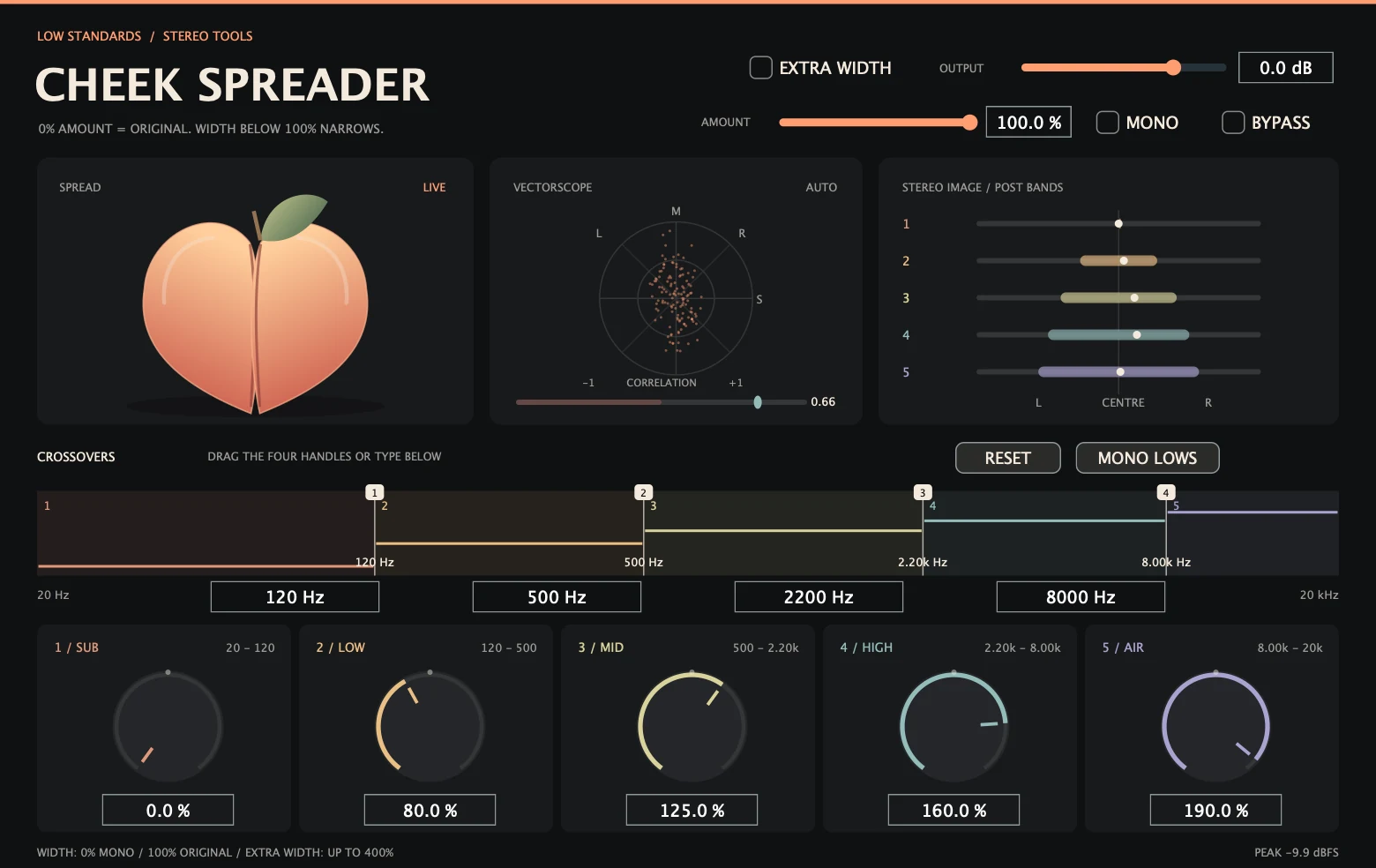
NARROW OR WIDEN EACH BANDEach band runs from mono at 0% to original width at 100% and twice the side signal at 200%. Extra Width extends the maximum to four times the side signal.
Keep your bass centred and let the rest open up. Shape stereo width across five adjustable bands while a peach pulls apart with the sound.
Hear it in action ↓Coming soon. $5 / first six months after release · then $40
The same stereo loop at original width, with wider upper bands, and in mono. Listen on headphones or stereo speakers.
Choose a setting, then press play.
These demos are not loudness matched. Settings can change level as well as tone.
Playback could not start. Use the play button, or open the audio file.
Each band runs from mono at 0% to original width at 100% and twice the side signal at 200%. Extra Width extends the maximum to four times the side signal.
Drag the handles or enter frequencies. Shape your own bands from 40 Hz to 18 kHz, with ordered crossovers and smooth transitions.
Watch the vectorscope and measured correlation. Low or negative correlation prompts a mono check; use Mono to audition cancellation.
Built for your DAW.
Made by Low Standards.
Insert Cheek Spreader on a stereo track or bus. Set the four crossover frequencies, then adjust each band’s width. Try Mono Lows for a centred bass and wider upper bands. Use Mono to audition the mixdown, Bypass to compare, and Output to leave headroom. Use Overall Amount for a dry-to-processed blend. Extra Width increases only widening; narrowing still reaches mono.
The peach follows the actual side energy in the output. It closes for mono or silence and opens as the signal becomes wider.
The vectorscope plots the left/right output as mid and side. Correlation runs from −1 (opposite polarity) through 0 (uncorrelated) to +1 (matching channels). The stereo image shows each processed band’s side energy and left/right balance. Negative correlation can indicate cancellation when summed to mono.
No. It adjusts the stereo information already in the signal. Mono stays mono. The Mono button lets you check the processed signal as a mono sum.
Neutral widths at 100%, Output at unity and Mono off pass the original waveform. Overall Amount at zero also restores dry audio. Active crossover processing rotates phase; widening can increase peaks. Leave headroom with Output.
A one-time purchase will be $5 during the first six months after the public release, then $40 for new purchases. Your purchased license stays yours; the price change does not create a subscription or charge existing owners again.
Development builds include Mac AU and VST3 for Apple Silicon and Intel, and Windows x64 VST3. Direct audio-engine and processor checks have passed. September 2026 development revision. Automated DSP/processor checks and isolated Mac AU/VST3 load checks passed. Native Windows and REAPER/Ableton testing, signing/notarization and final delivery checks remain before sale.
The individual plugin will be $5 / first six months after release · then $40 Sales open after final release checks.
Individual plugin optionsYour purchase will include a serial for up to three active computers. Deactivate an old computer to free a slot. Connect once to activate your serial, then use the plugin offline—even after restarting your DAW. Internet is needed again only to activate another computer or deactivate a slot.
Checkout opens after final release checks. $5 for the first six months after release, then $40 for new purchases. One payment; no subscription.