DRAW
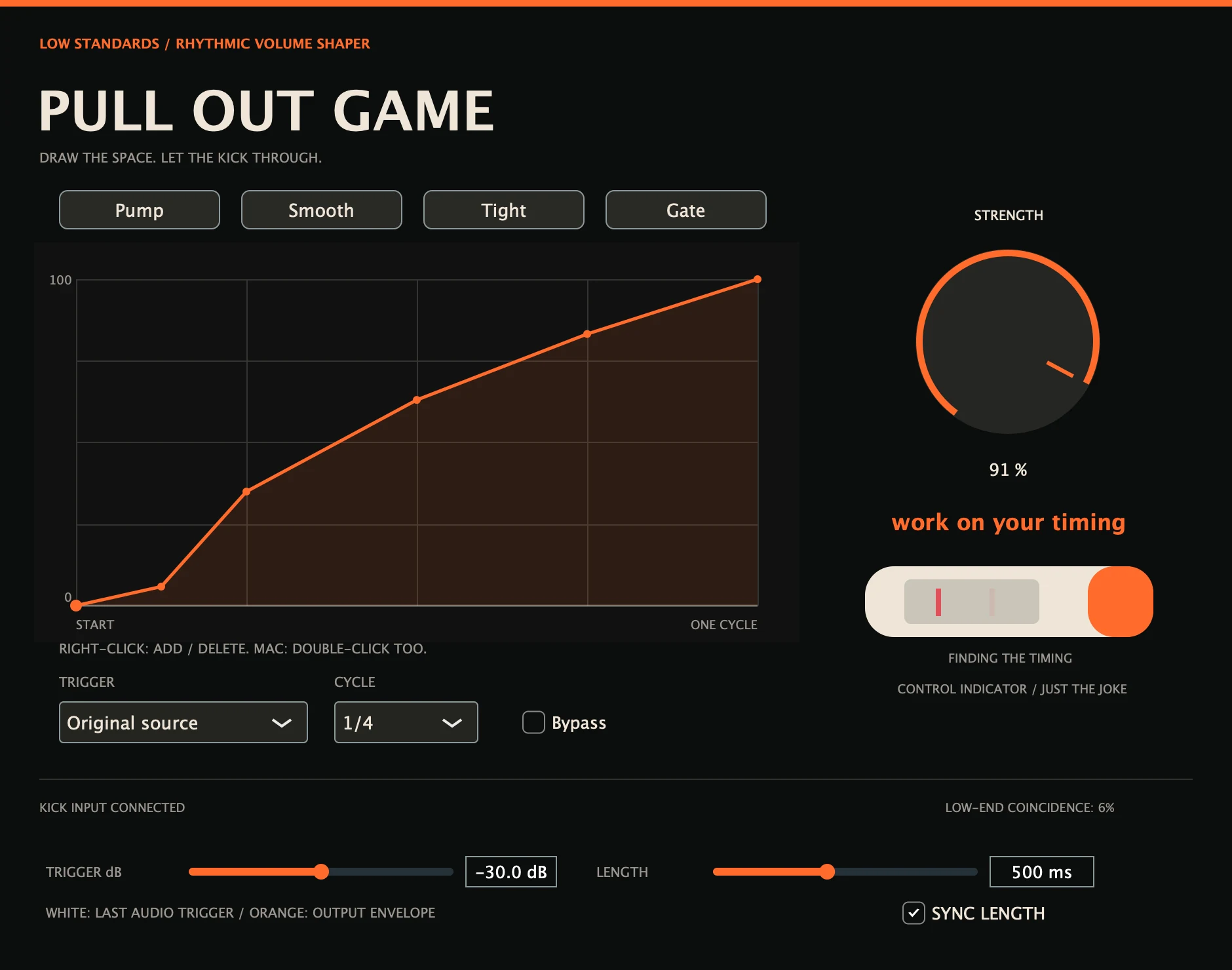
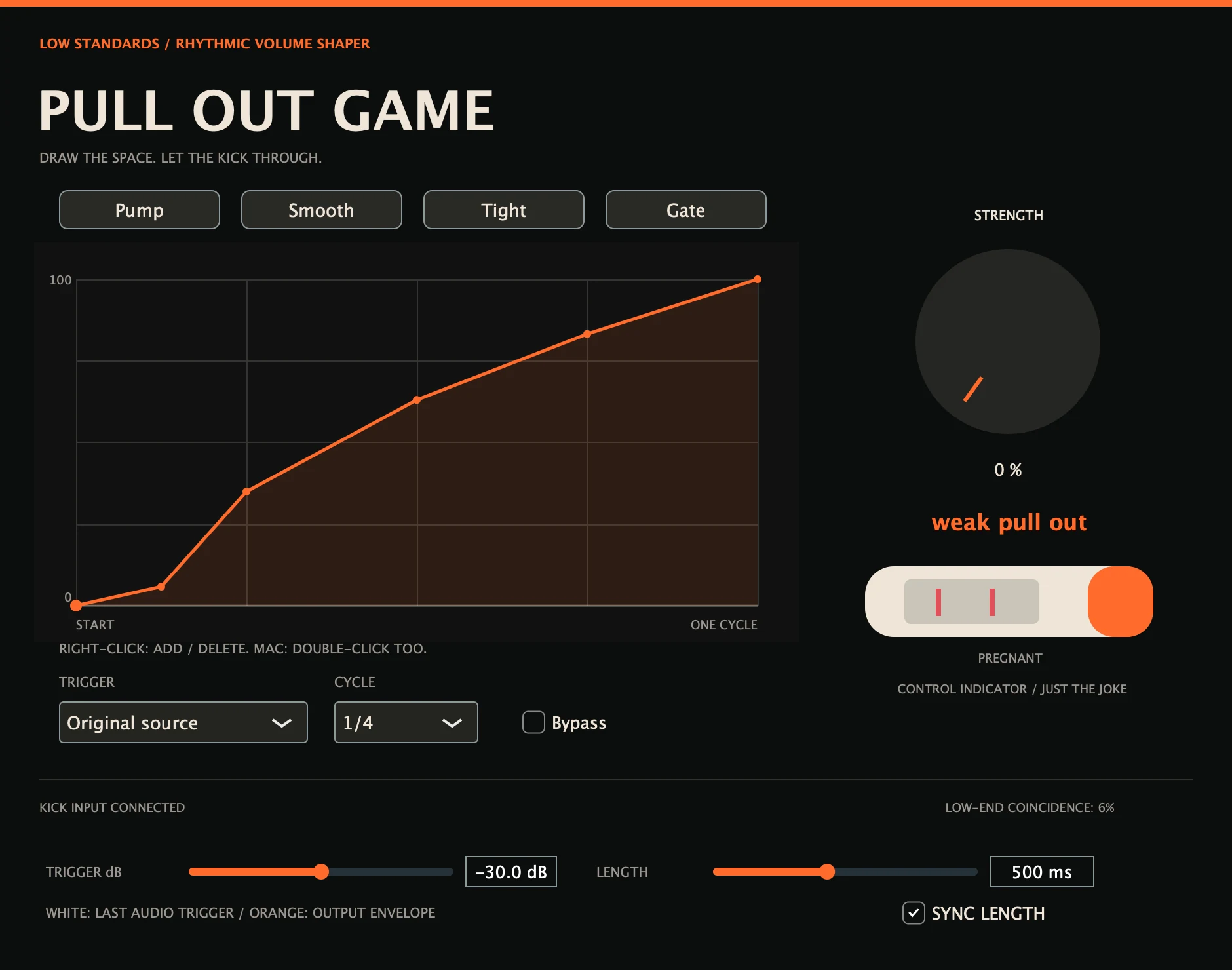
EDITABLE ANCHOR POINTSRight-click an empty place to add a point or an existing point to remove it. Mac users can also double-click. Drag points to shape the recovery; the two endpoints stay in place.
Draw the space around your kick. Shape your own ducking curve, start with a preset, or trigger it from the actual kick track.
Hear it in action ↓Coming soon. $20 for the individual plugin.
The same kick and bass loop. Only the bass is ducked.
Choose a setting, then press play.
These demos are not loudness matched. Settings can change level as well as tone.
Playback could not start. Use the play button, or open the audio file.
Right-click an empty place to add a point or an existing point to remove it. Mac users can also double-click. Drag points to shape the recovery; the two endpoints stay in place.
Use tempo pumping, kick-band detection, a full-band audio transient or MIDI note-on. Host routing determines available sidechain inputs.
The last audio trigger appears behind the envelope, normalized to its own peak. Choose a beat length or turn Sync Length off to set 20–4,000 ms.
Built for your DAW.
Made by Low Standards.
Insert Pull Out Game on the track to duck. Route the kick into its external sidechain and choose Kick sidechain, or choose Audio for other transients. Adjust Threshold to detect the intended hits. For MIDI triggering, use VST3 and route notes to the effect in your host. Shape the recovery over the waveform; Strength at zero restores the dry signal.
It shows the peak envelope of the most recent audio trigger over the chosen cycle length. It is normalized to its own peak and is not an automatic kick-length measurement. MIDI mode triggers the curve without an audio waveform.
The envelope has 33 time positions, including two fixed endpoints. Add/delete anchors with right-click, or double-click on Mac. A normal click selects a point for dragging.
Check the selected trigger, routing, Threshold and Strength. Tempo mode follows transport. MIDI input support varies by host; use the VST3 build for MIDI routing. The AU keeps its existing effect identity for saved projects.
It estimates simultaneous 40–300 Hz energy in the processed bass and sidechain. It depends on signal level and is a listening aid, not a full masking analysis.
Development builds include Mac AU and VST3 for Apple Silicon and Intel, and Windows x64 VST3. Direct audio-engine and processor checks have passed. September 2026 development revision. Automated DSP/processor checks and isolated Mac AU/VST3 load checks passed. Native Windows and REAPER/Ableton testing, signing/notarization and final delivery checks remain before sale.
The individual plugin will be $20. Sales open after final release checks.
Individual plugin optionsYour purchase will include a serial for up to three active computers. Deactivate an old computer to free a slot. Connect once to activate your serial, then use the plugin offline—even after restarting your DAW. Internet is needed again only to activate another computer or deactivate a slot.
Checkout opens after final release checks.